[Easy tax] How to apply for online invoicing for private rental? The operation process of the electronic tax bureau is coming!
Private rental of natural persons is often encountered in our daily life. When natural persons need to issue invoices and pay taxes due to the above matters, how to realize online invoicing by non-contact means? What should the electronic tax bureau pay attention to when applying for agency operation? Let Shenshui Xiaowei show you around ~ ~

one
User login
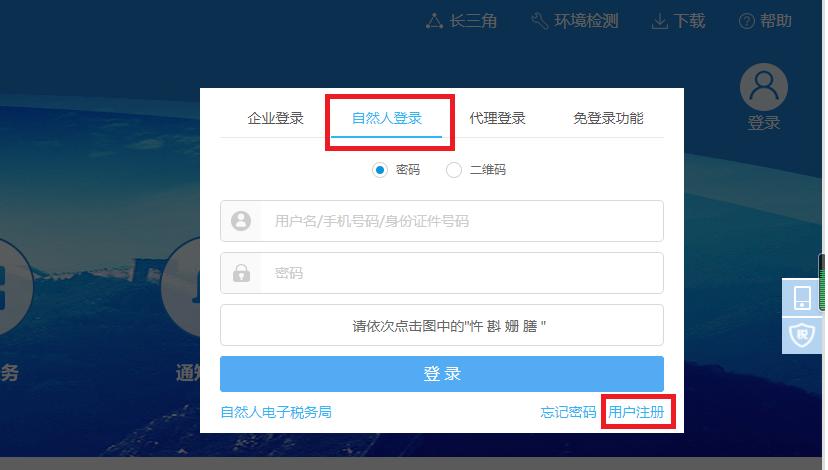
1. Open the website of State Taxation Administration of The People’s Republic of China Shanghai Electronic Taxation Bureau and click "Login" in the upper right corner. Select "natural person login" (user name, mobile phone number and ID number can be logged in). The first time you log in, you can register and log in through "User Registration" in the lower right corner.
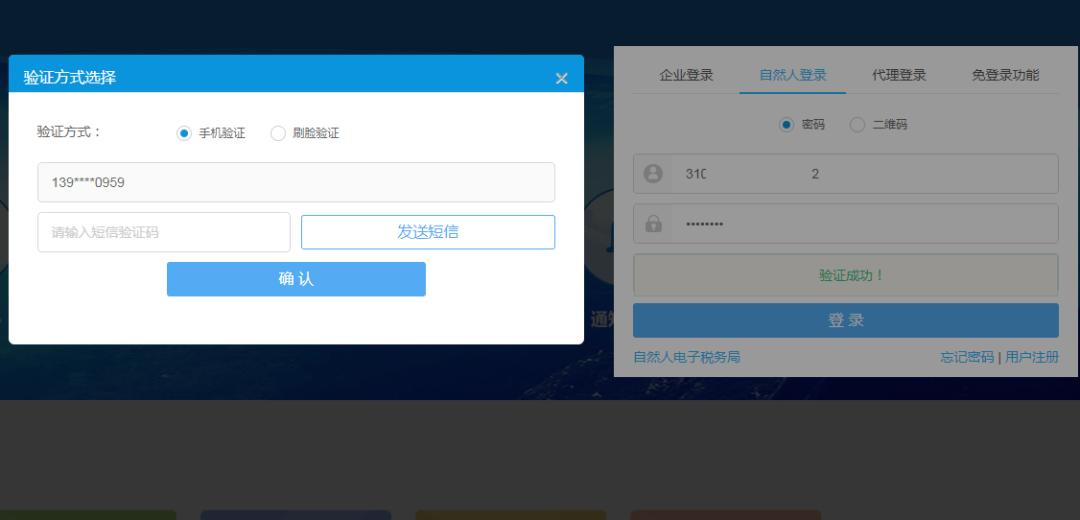
2. After clicking "Login", the system will verify, and you can choose to log in by mobile phone verification or face brushing verification.
two
Substitution operation
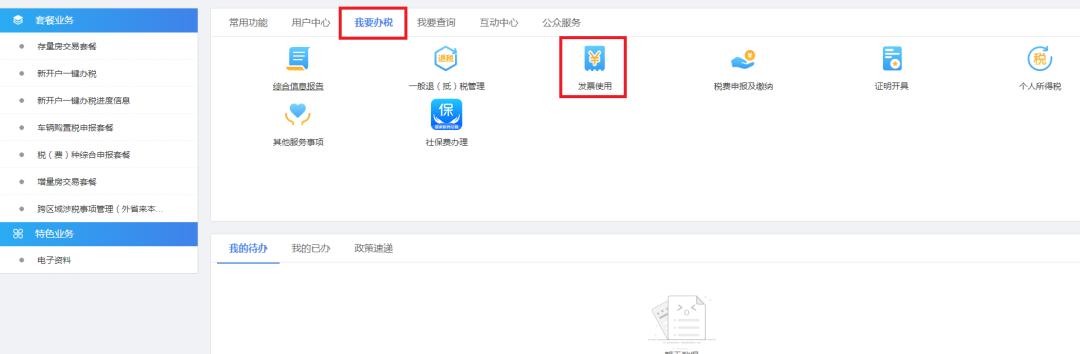
1. In the "I want to do tax" module, in the "Invoice Use" module, select "Private Rental Invoicing (applicable to residential buildings)".
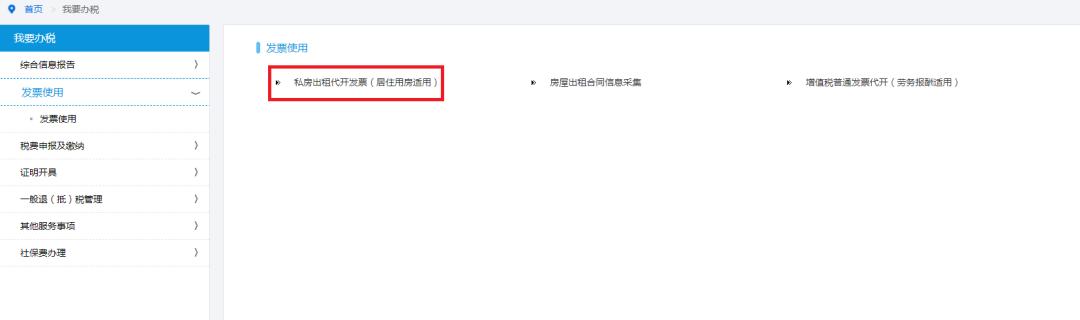
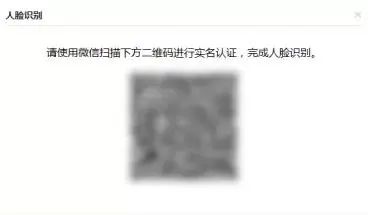
2. Complete the real-name authentication operation, and click "Private Rental Invoicing (applicable to residential buildings)" for face recognition and verification.
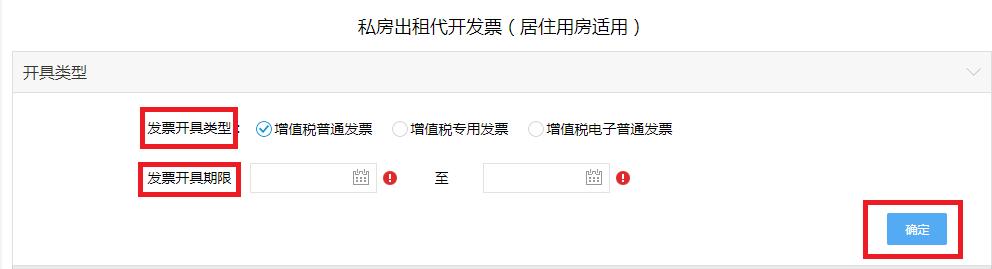
3. Enter the invoice issuing interface, select the invoice issuing type, invoice issuing type and invoice issuing period, and click OK.
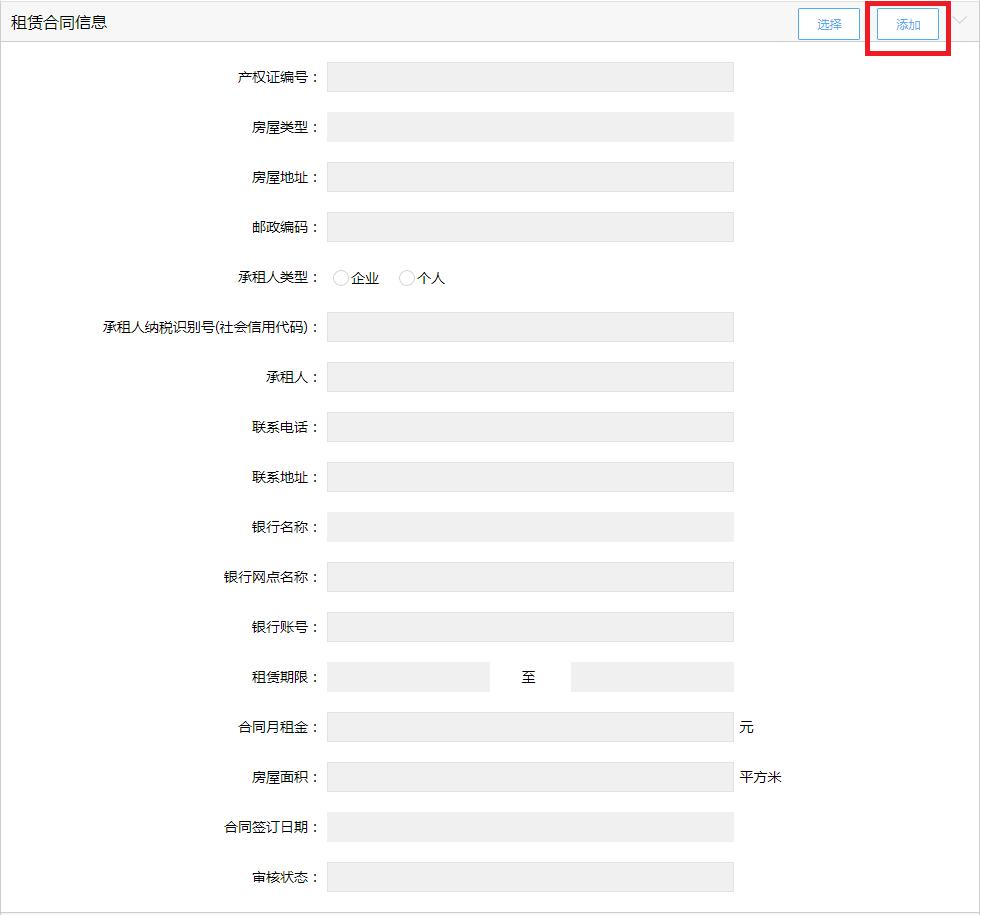
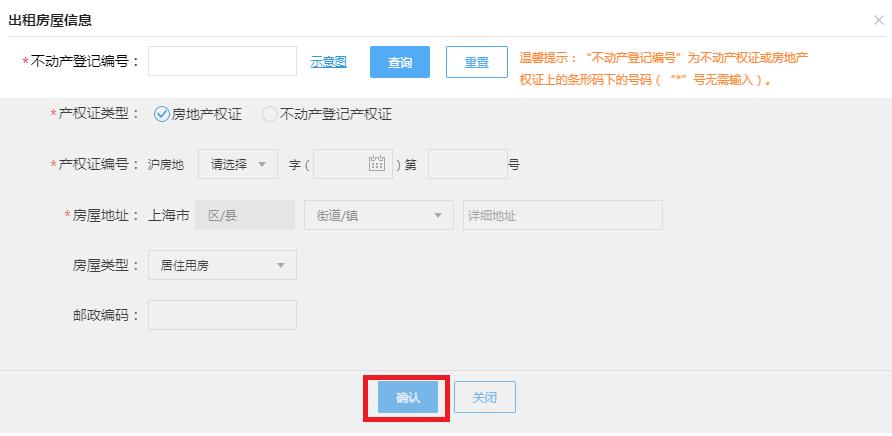
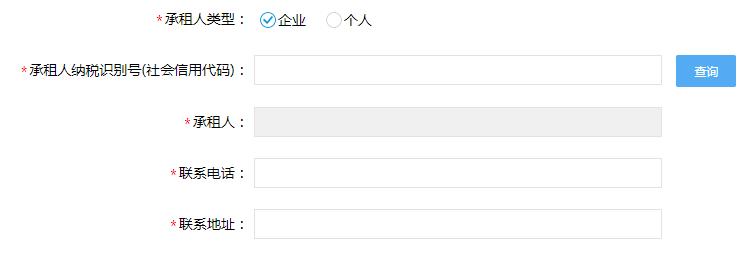
4. Complete information collection: enter the lease contract information, click "Add" to enter the lease contract information collection, and add the rental house information and lessee information.
three
Determine the ticket collection information
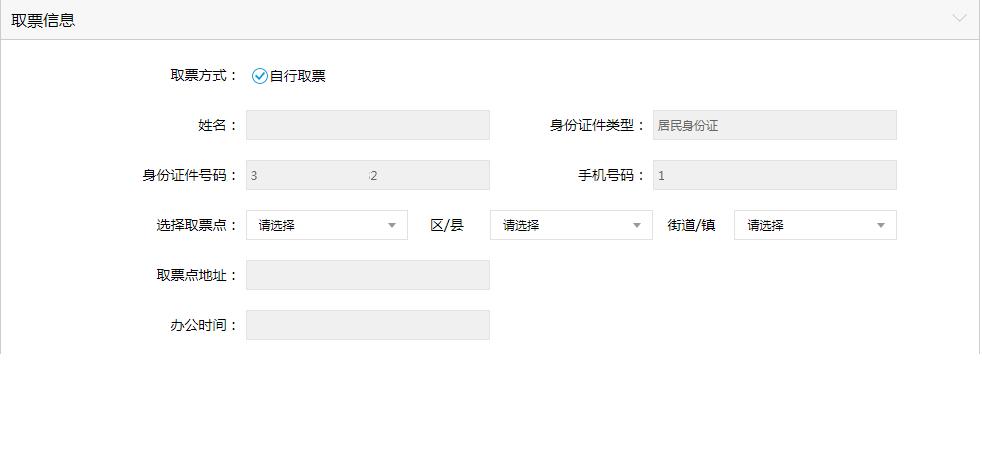
Fill in the ticket collection information, and enter the information of ticket collector, ticket collection time, ticket collection place and so on.
four
Pay taxes
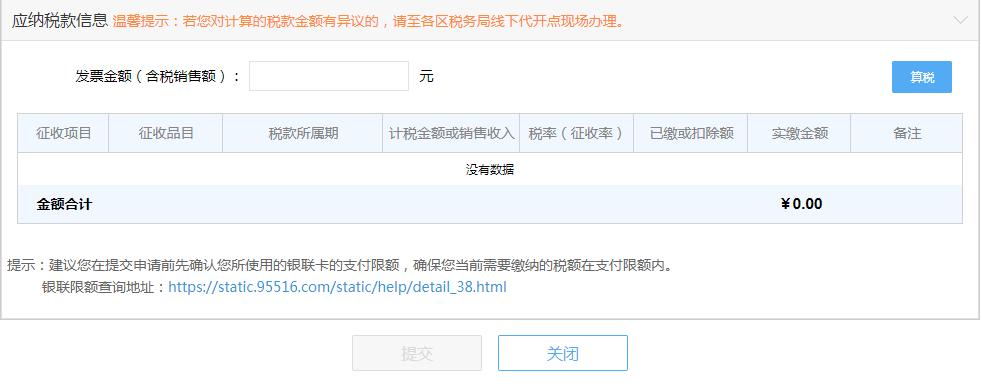
Confirm the tax payable information, click "Submit" after online tax payment is completed, and you can go to the designated ticket collection place to collect tickets.
Warm reminder:
In addition to online processing, private rental invoices can also be processed offline ~
1. The tax service hall shall handle it.
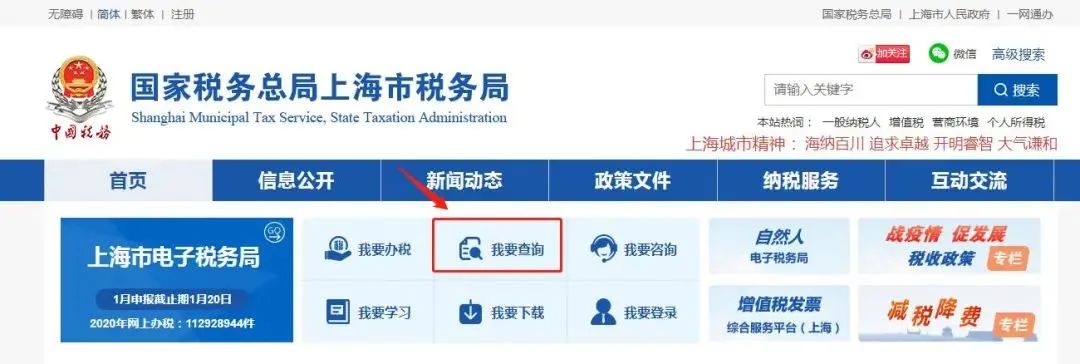
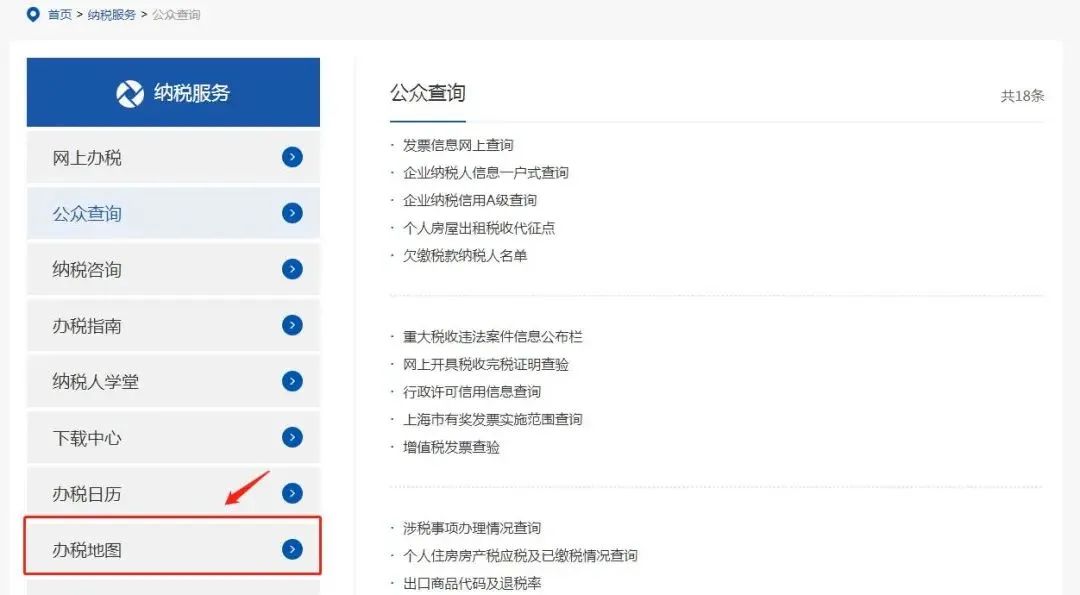
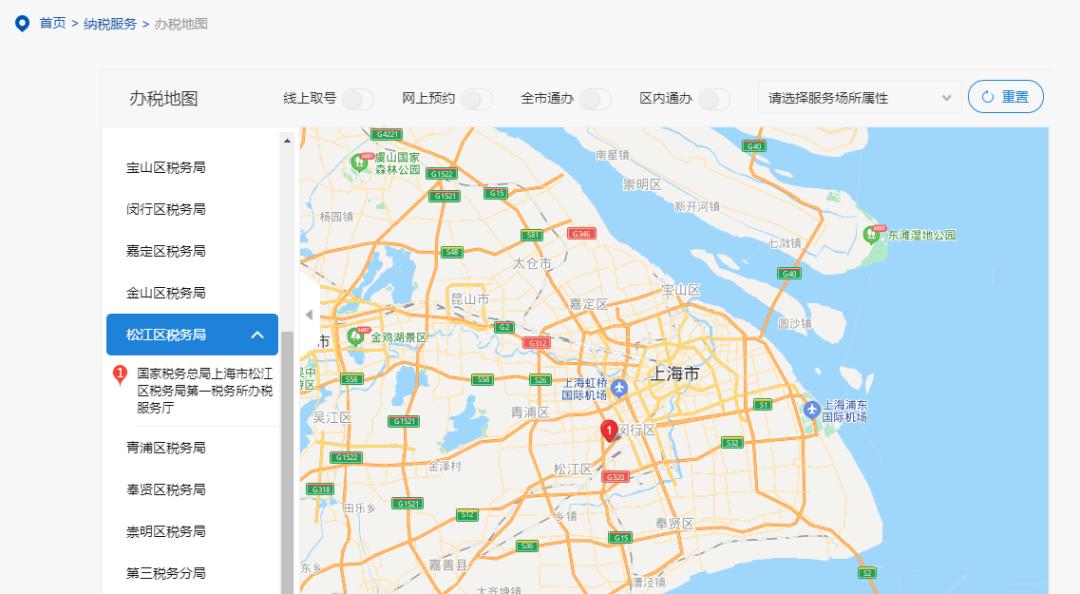
You can select [I want to inquire] on the homepage of the official website of Shanghai Taxation Bureau, and click [Tax Map] to inquire the address of the tax service hall where the real estate is located.
2. Private rental collection station for.
You can select [I want to inquire] on the homepage of the official website of Shanghai Taxation Bureau, and click [Inquiry of individual house rental tax collection point] to inquire the address of individual house rental tax collection point.
Original title: "[Easy tax] How to apply for online invoicing for private rental? The operation process of the electronic tax bureau is coming! 》
Read the original text